Cheat Engine Forum Index Cheat Engine
The Official Site of Cheat Engine
 
 FAQFAQ   SearchSearch   MemberlistMemberlist   UsergroupsUsergroups   RegisterRegister 
 ProfileProfile   Log in to check your private messagesLog in to check your private messages   Log inLog in 


Attempting to find pointers for Collision values

 
Post new topic   Reply to topic    Cheat Engine Forum Index -> General Gamehacking
View previous topic :: View next topic  
Author Message
hausevult
How do I cheat?
Reputation: 0

Joined: 21 Jun 2019
Posts: 4
Location: lol

PostPosted: Sat Jun 22, 2019 9:44 pm    Post subject: Attempting to find pointers for Collision values Reply with quote

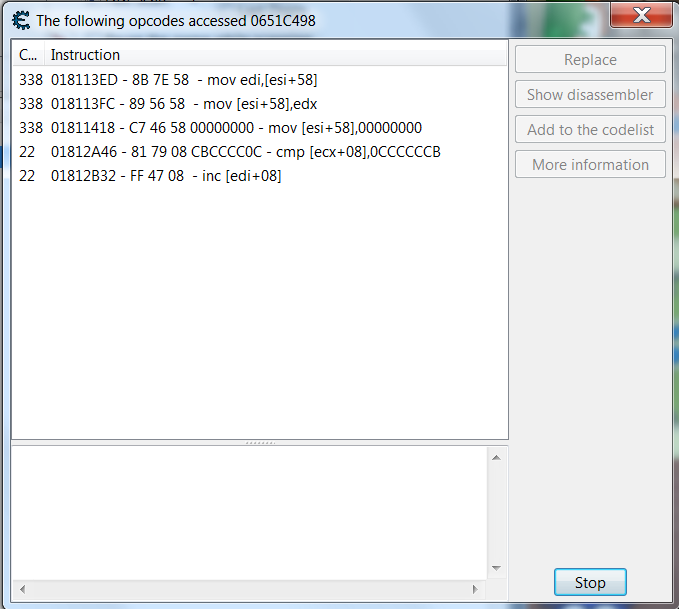
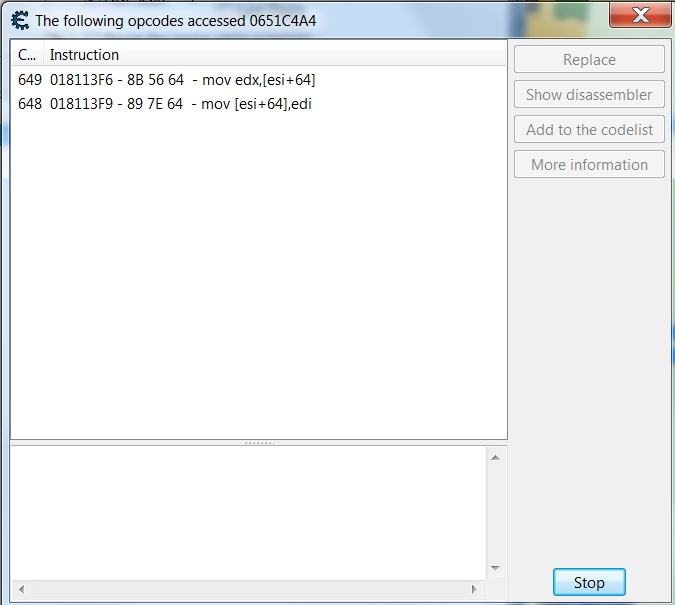
I've run into a rather annoying issue now. I have done some testing and narrowed down the collision value to two addresses, both of which are rather close to each other in memory. One address seems to be constantly running, whereas the other runs other lines of code upon colliding with walls and objects. Notably, the one that runs constantly seems to be placed a "lower" address. Both values change to 1 (true) upon collisions, though.

First Address - First Image


Second Address (a bit after a collision) - Second Image


I took the pointer value from several of these and scanned for them (with hex ticked) to no avail. I had known it would be a multi-level pointer and I would have to search for a bit, but now I am simply getting no results at all. Because of this, I attempted to pointer scan for the second address. First I generated a pointermap to use in the scan, then, while doing the scan, I collided and didn't collide with objects so as to change the value a few times. This netted me 7511 pointer paths, but I am unsure what to do now. Should I continue doing this with the pointer values themselves until I find a static base address or what? Because I cannot find what accesses the pointers themselves... Not sure what to do here, any tutorials and such would be great. Rolling Eyes


XJ0a8Sm.png
 Description:
Second Image
 Filesize:  71.71 KB
 Viewed:  1757 Time(s)

XJ0a8Sm.png


otBaxuE.png
 Description:
First Image
 Filesize:  53.5 KB
 Viewed:  1757 Time(s)

otBaxuE.png


_________________
You forget a thousand things every day; make sure this is one of them.
Back to top
View user's profile Send private message AIM Address Yahoo Messenger MSN Messenger
Roogue
Newbie cheater
Reputation: 0

Joined: 31 May 2019
Posts: 14

PostPosted: Wed Jun 26, 2019 12:30 pm    Post subject: Reply with quote

As you said they are pretty close to each other in memory, that means they are in the same function which apparently looks like a
Code:
 BOOL IsCollision(args)
. This adresses are dynamic for sure, but the function address should not be. So, click on any of this instructions you see on the images, "show disassembler", right click selected opcode then Select Current Function, and now do CTRL+G to get the function address. Note it somewhere, and now whenever you want to cancel the collisions you can just modify the value of EAX register before the return at the end of the function
Code:
 mov eax, 0 // no collision


If you need more help, i'm here.
Back to top
View user's profile Send private message
Display posts from previous:   
Post new topic   Reply to topic    Cheat Engine Forum Index -> General Gamehacking All times are GMT - 6 Hours
Page 1 of 1

 
Jump to:  
You cannot post new topics in this forum
You cannot reply to topics in this forum
You cannot edit your posts in this forum
You cannot delete your posts in this forum
You cannot vote in polls in this forum
You cannot attach files in this forum
You can download files in this forum


Powered by phpBB © 2001, 2005 phpBB Group

CE Wiki   IRC (#CEF)   Twitter
Third party websites